Copyright © 2025 All rights reserved. Built with love in Texas.
Branding Product SaaS Web App
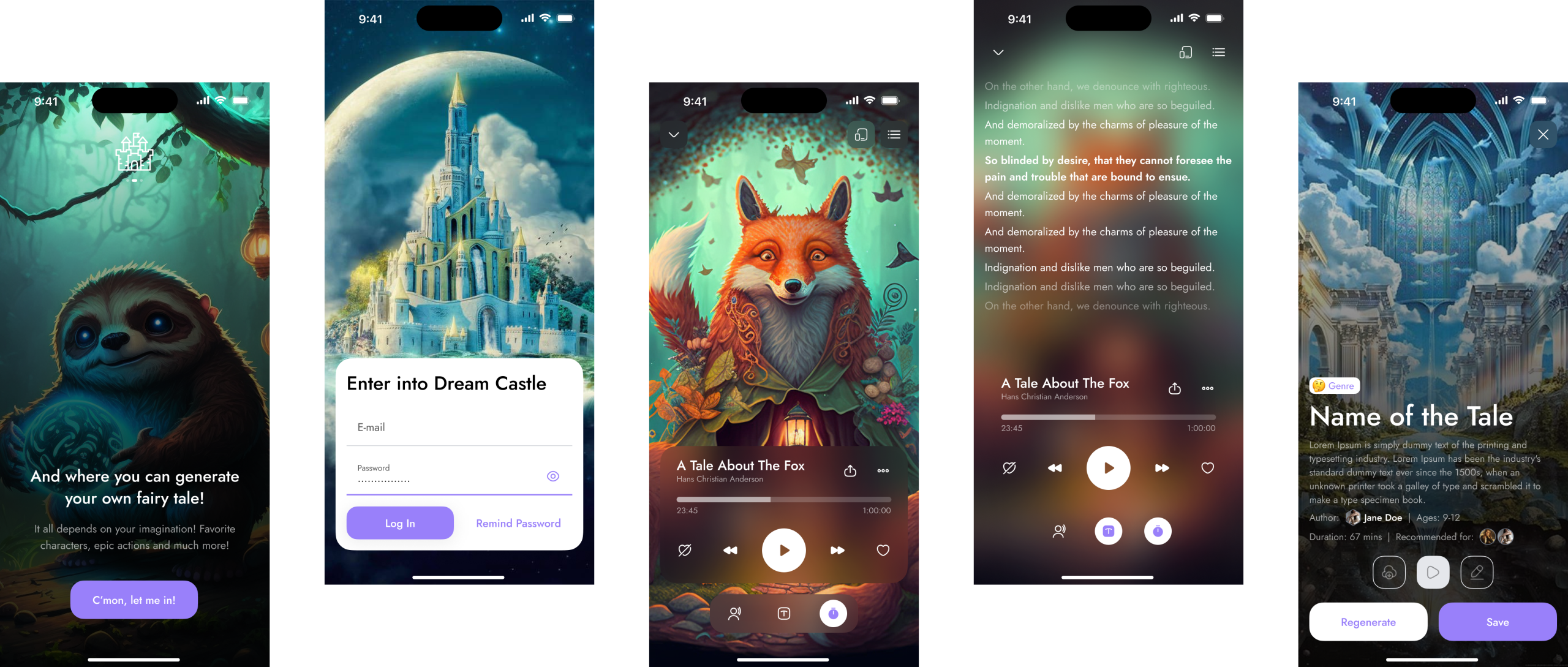
About a Project Dream Castle is an AI-powered media player app that delivers personalized audio and video content through advanced AI-driven recommendations, smart playlists, and seamless playback control. It offers an immersive, intuitive user experience designed to maximize content discovery and user engagement. Challenges & Solutions Challenge: Delivering Accurate Personalization Solution: Combine explicit user feedback […]
Dream Castle is an AI-powered media player app that delivers personalized audio and video content through advanced AI-driven recommendations, smart playlists, and seamless playback control. It offers an immersive, intuitive user experience designed to maximize content discovery and user engagement.
Solution: Combine explicit user feedback (likes, skips) with implicit behavioral data to improve AI recommendations over time.
Solution: Use progressive disclosure—show essential info upfront with easy access to additional details.
Solution: Optimize app performance and network handling with clear user communication during buffering or errors.
Increased User Retention: Personalized content keeps users engaged longer.
Improved Discovery: AI recommendations surface relevant content users wouldn’t find manually.
Satisfying Playback Experience: Fluid, intuitive controls foster user satisfaction.
Strong Visual Identity: Cohesive, modern design supports brand recognition and usability.
Music and video enthusiasts who value personalized content discovery.
Users who appreciate AI-driven recommendations to enhance their listening/viewing experience.
Tech-savvy users expecting smooth, reliable playback and easy navigation.
Name: Jamie
Age: 29
Preferences: Loves discovering new music and videos tailored to mood and interests.
Goals: Effortlessly find content that matches their tastes without manual searching.
Pain Points: Overwhelming content libraries, poor recommendation quality, clunky UI.
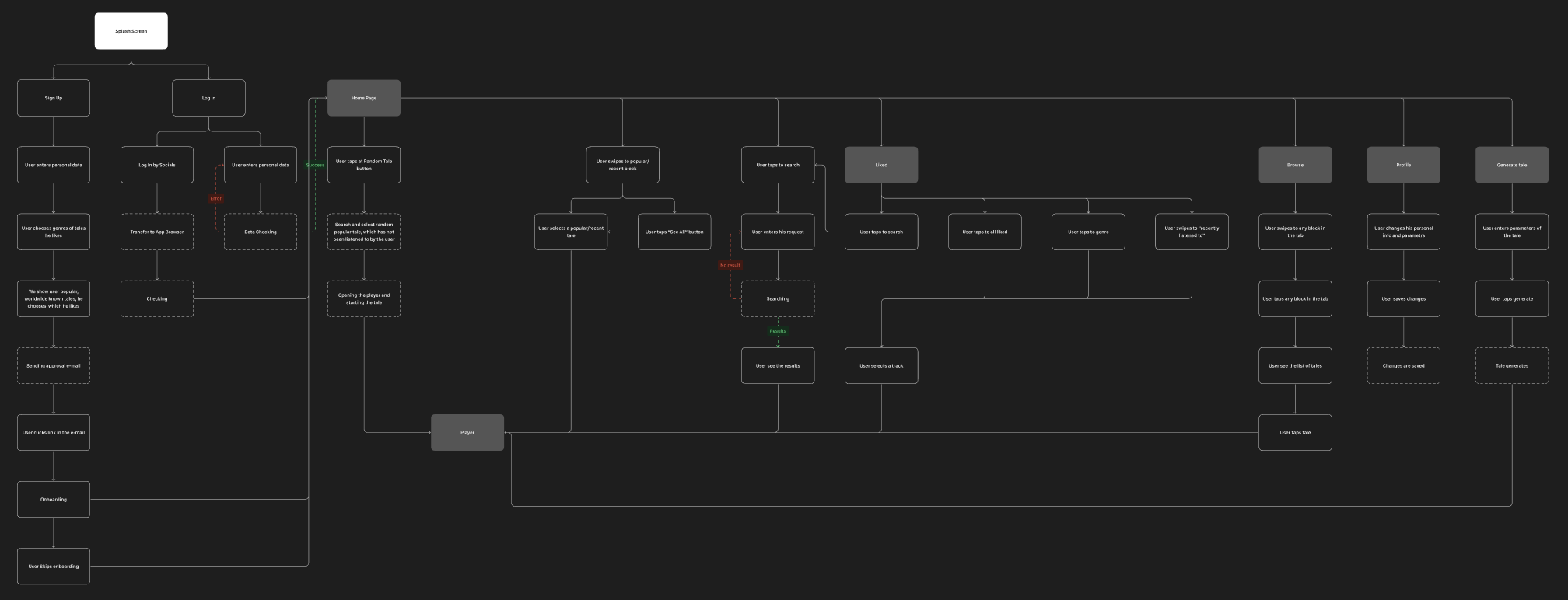
The AI system continuously learns from user interactions across Search, Playback, and Profile to refine recommendations on Home Screen.
Navigation is designed to be intuitive and minimal, with key actions accessible within one or two taps.
Users can seamlessly move between discovery, playback, and profile management without losing context or progress.
Feedback loops (likes, skips) are integrated into multiple screens to improve AI accuracy.
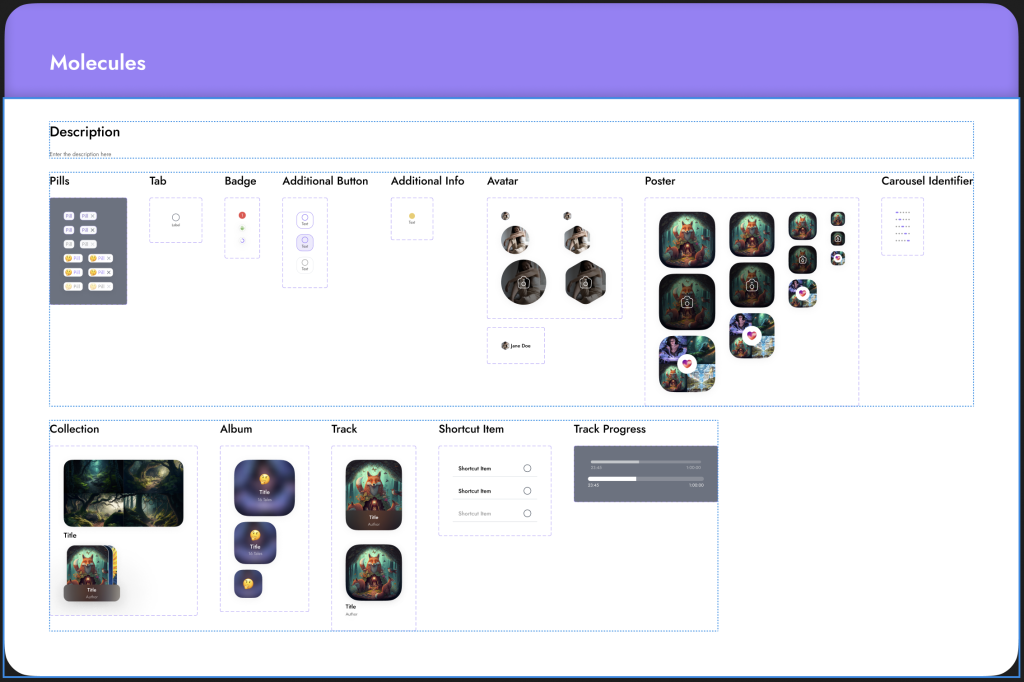
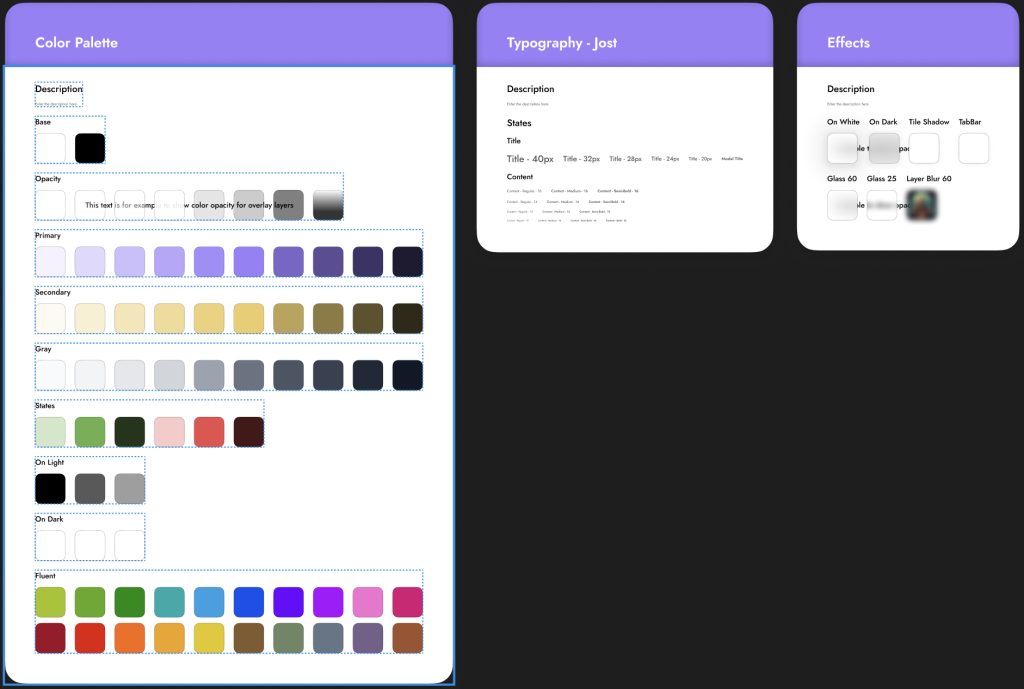
Modern, clean palette with emphasis on dark backgrounds (for media focus) and accent colors for highlights.
Legible fonts optimized for quick scanning and media metadata.
Familiar media icons (play, pause, next, shuffle) with subtle animations for button presses and transitions.
Smooth transitions between content screens and playback overlays.
Immediate visual/audio feedback on user interactions (e.g., loading spinners, button highlights).
Progress indicators for buffering and playback status.
Function: Smart algorithm analyzes user preferences, listening history, and behavior to curate personalized playlists and suggest new content.
Design: Prominently featured recommendations on home screen with easy access to “For You” playlists and trending content.
UX Goal: Help users quickly discover content without manual search.
Function: Automatically generate playlists based on mood, activity, or user preferences with AI continuously adapting the queue.
Design: Intuitive playlist creation UI with clear controls for customization and AI-powered “Surprise Me” options.
User Flow: Users can edit, save, or share playlists easily.
Function: Robust controls including play, pause, skip, shuffle, repeat, and gesture-based navigation (e.g., swipe to skip).
Design: Minimalistic, accessible controls that appear contextually (e.g., floating controls while browsing).
UX Benefit: Smooth, unobtrusive playback experience.
Function: Display rich metadata including artist info, album art, lyrics, related content, and user comments.
Design: Clean, visually rich layouts with tabs or swipe views for metadata, comments, and related content.
UX Goal: Enhance user engagement and content context without clutter.
Function: Track user history, favorites, liked content, and preferences to refine AI suggestions.
Design: Dashboard with charts, recent plays, and personalized stats.
Benefit: Users feel in control and can see their interaction patterns.