Copyright © 2025 All rights reserved. Built with love in Texas.
Branding Product SaaS Web App
About a Project Unify Energy Solutions provides advanced energy management and analytics software for educational institutions and commercial facilities. Their platform aggregates real-time data from multiple sites, enabling facilities managers to monitor energy usage, detect anomalies, and optimize operational efficiency. The goal was to design a robust, scalable dashboard system that provides clear, actionable insights […]

Unify Energy Solutions provides advanced energy management and analytics software for educational institutions and commercial facilities. Their platform aggregates real-time data from multiple sites, enabling facilities managers to monitor energy usage, detect anomalies, and optimize operational efficiency.
The goal was to design a robust, scalable dashboard system that provides clear, actionable insights while handling complex data from multiple schools and buildings.
Designed a comprehensive cross-platform web dashboard optimized for large-scale data visualization
Delivered intuitive map-based and list-based views to simplify monitoring across multiple locations
Developed modular UI components supporting real-time alerts and critical notifications
Enhanced user efficiency by streamlining navigation between school types and facilities
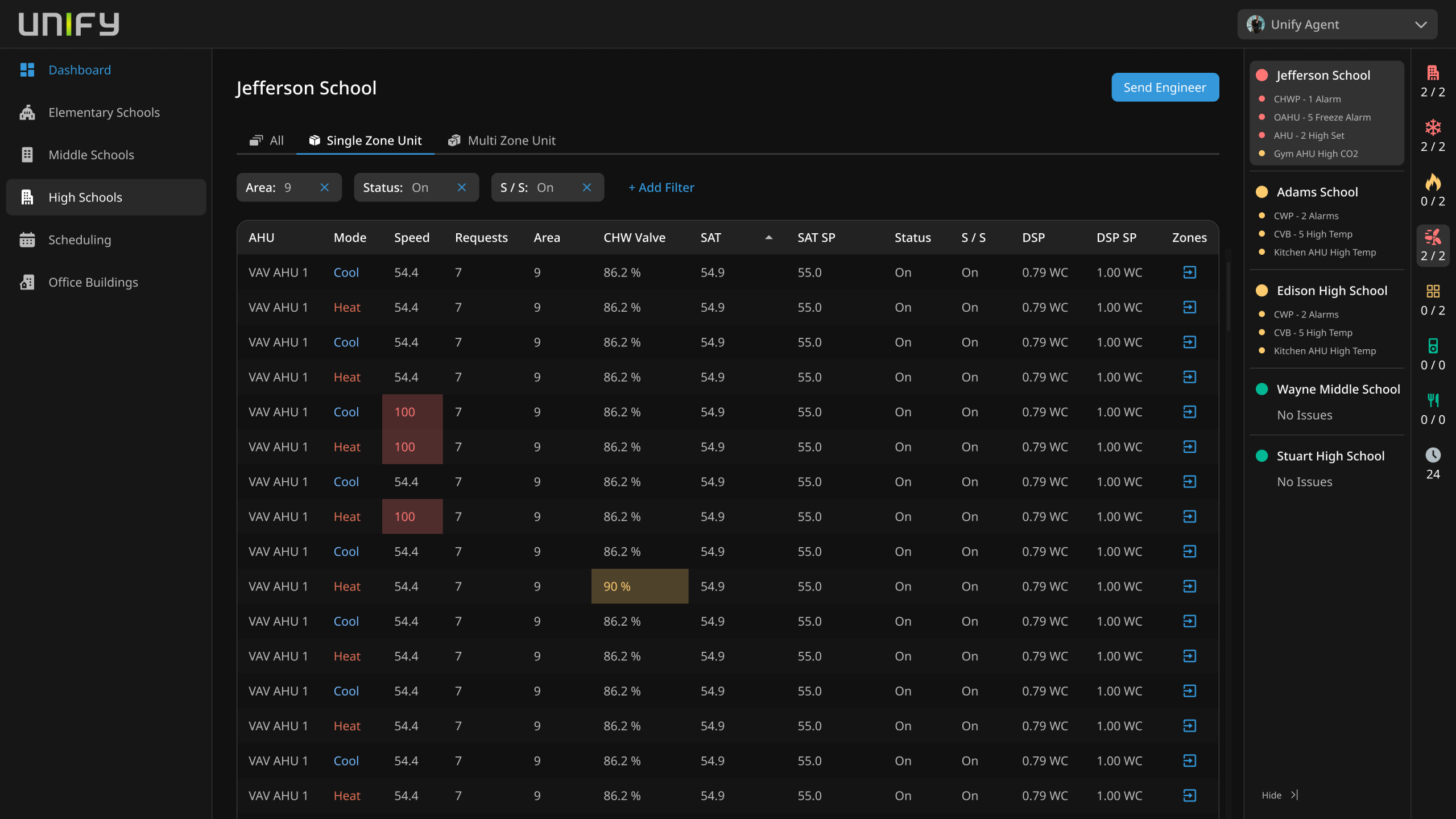
Create a unified energy management dashboard that allows users to quickly identify issues across elementary, middle, and high schools, schedule maintenance, and manage office building operations from a single interface. The design needed to balance dense data presentation with usability to empower swift decision-making.
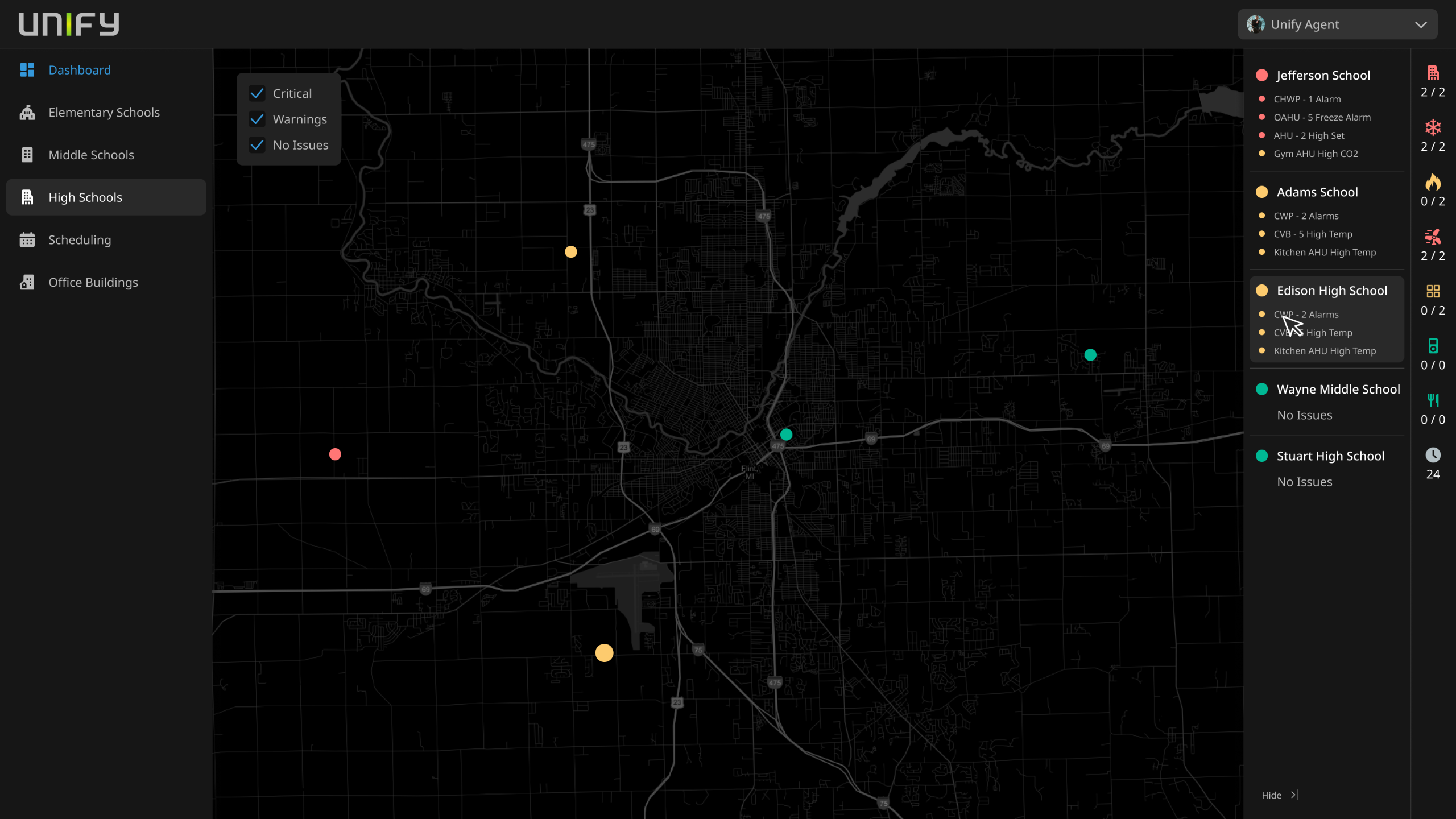
Adopting agile practices, the design focused on minimizing cognitive load through clear visual hierarchy and color-coded alerts for critical, warning, and normal states. We used a dark-themed map interface to highlight spatial data effectively and layered UI elements to offer detailed information on demand without cluttering the screen.
User feedback sessions helped refine workflows for filtering schools by type and managing scheduling, ensuring accessibility and responsiveness across devices.
Interactive Map View: Visualize energy issues spatially with criticality color codes and drill-down capability
Multi-School Filtering: Easily switch views between elementary, middle, and high schools to focus on priority sites
Real-Time Alerts Panel: Consolidated critical and warning notifications with status indicators and counts
Scheduling Module: Manage maintenance and operational tasks directly from the dashboard
User-Friendly Navigation: Persistent sidebar with clear categories and search functionality for quick access
Challenge: Legacy system was so outdated it couldn’t support popups or dynamic alerts, severely limiting user feedback.
Solution: Designed a completely new notification framework integrated into the dashboard, with clear, actionable alerts and contextual popups to replace static legacy messages.
Challenge: Presenting complex real-time data in a clear, actionable way without overwhelming users.
Solution: Employed layered design with progressive disclosure and color-coded statuses.
Challenge: Supporting diverse user roles managing multiple school types and buildings.
Solution: Implemented easy filtering, customizable views, and role-based access controls.