

Copyright © 2025 All rights reserved. Built with love in Texas.
Branding Product SaaS Web App
About a Project The AvodahMed mobile application is a React Native app designed for iOS and Android platforms to extend the functionality of the AvodahMed web platform into clinicians’ hands. It covers core features like appointment management, AI-powered clinical dictation, transcription, and documentation, enabling healthcare providers to efficiently capture patient encounters on the go. Outcomes […]
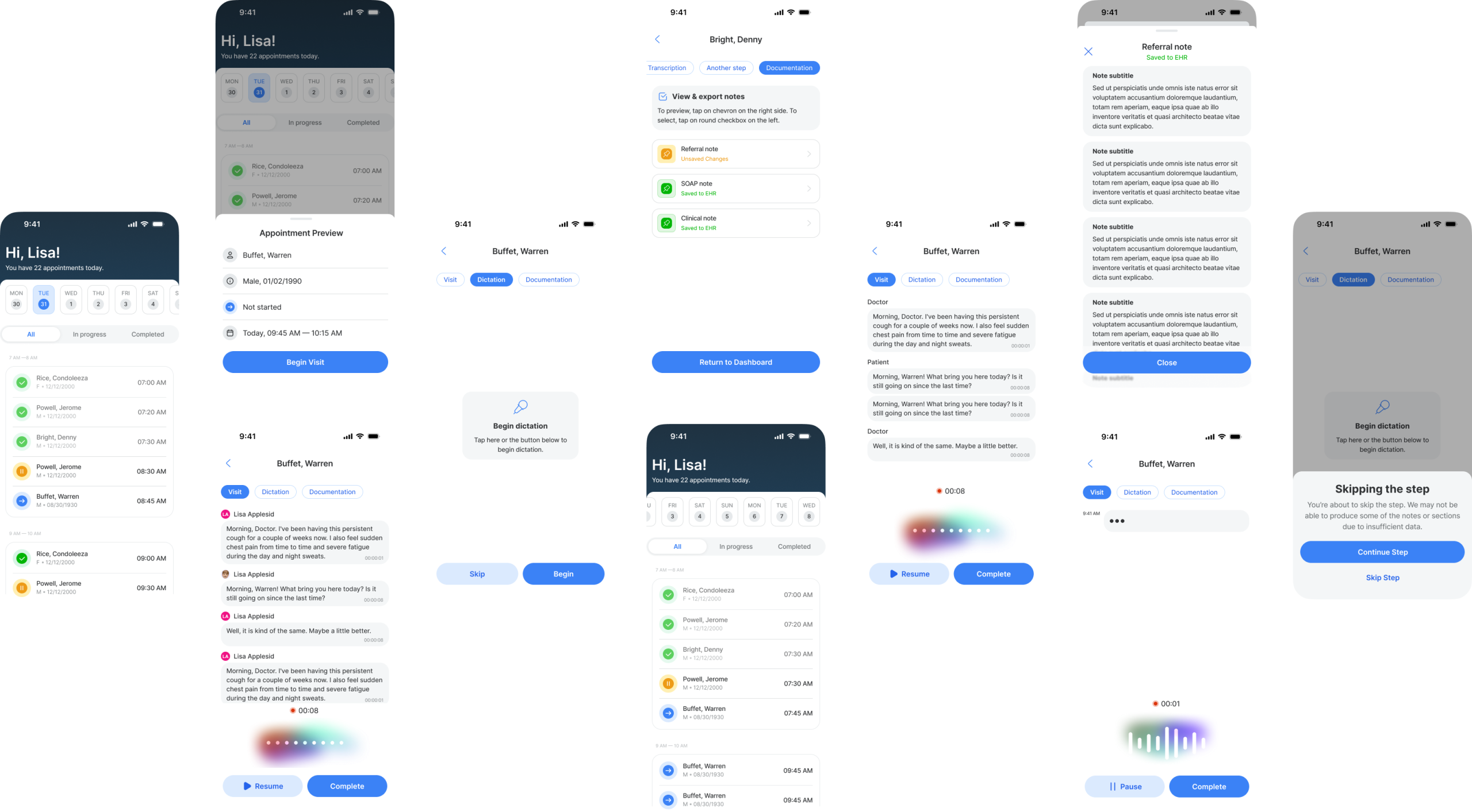
The AvodahMed mobile application is a React Native app designed for iOS and Android platforms to extend the functionality of the AvodahMed web platform into clinicians’ hands. It covers core features like appointment management, AI-powered clinical dictation, transcription, and documentation, enabling healthcare providers to efficiently capture patient encounters on the go.
Delivered a robust MVP that covers most key features of the AvodahMed web platform on mobile.
Positive clinician feedback on usability and the intuitive dictation interface.
Streamlined development process through the use of React Native and reusable design components.
Appointment dashboard with filtering by status (All, In Progress, Completed) and date navigation.
Appointment detail views with patient info, visit status, and scheduling.
AI-powered dictation interface with intuitive controls for start, pause, resume, and skip.
Clinical note documentation with categorized note types (Referral, SOAP, Clinical).
Export and EHR integration status indicators for clinical notes.
Seamless navigation across Visit, Dictation, and Documentation tabs for each patient encounter.
Visual feedback through subtle animations indicating recording status and user interactions.
Balancing complex clinical workflows with simplified mobile interactions.
Ensuring real-time dictation feedback with minimal latency on mobile networks.
Maintaining consistent experience across different device sizes and OS versions.
Deliver a comprehensive mobile experience that mirrors the main web app’s capabilities.
Ensure smooth and intuitive workflows for appointment scheduling, dictation, and clinical note management.
Utilize animations and a robust design system to provide visual clarity and engagement.
Maintain cross-platform consistency while leveraging React Native for efficient development and performance.
Interviewed clinicians and medical staff to understand mobile usage patterns and pain points.
Analyzed how mobile devices are used during clinical workflows to prioritize features.
Coordinated with AI engineers to understand dictation capabilities and integration points.
Worked closely with React Native developers to ensure pixel-perfect implementation.
Supported cross-platform testing on iOS and Android devices to maintain feature parity.
Facilitated sprint reviews and design QA to resolve UI inconsistencies and enhance performance.
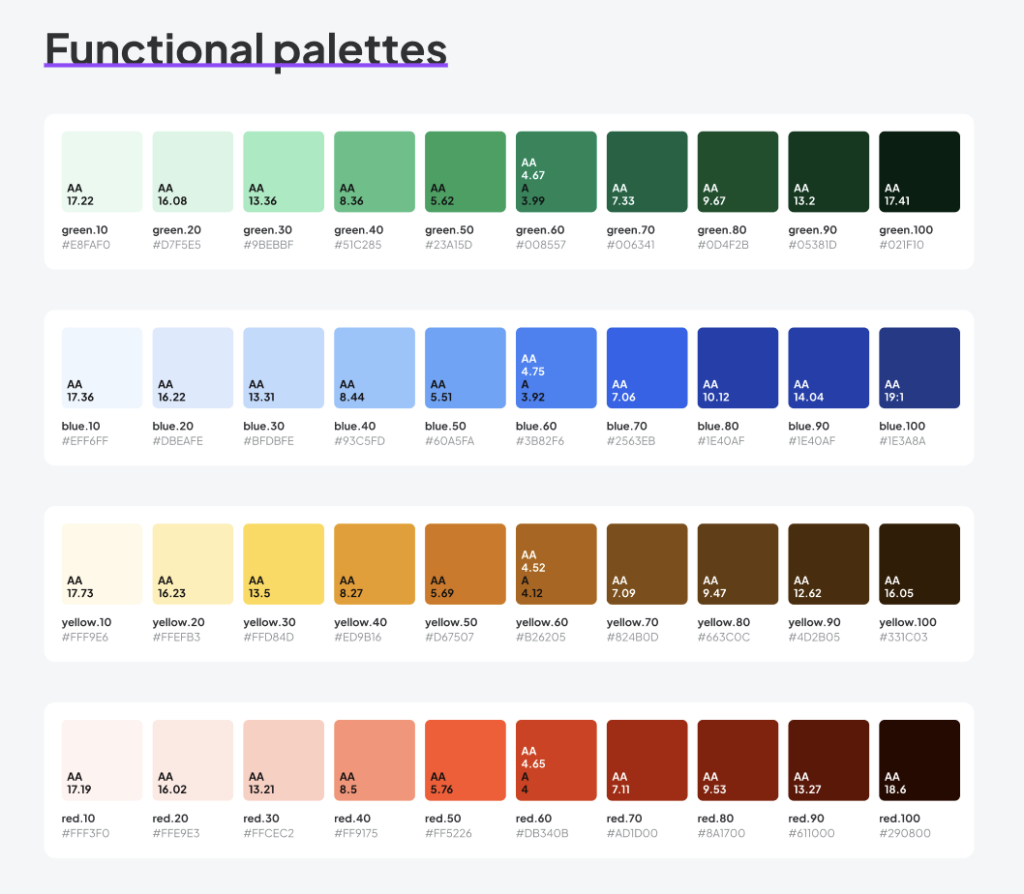
Developed a consistent design system aligned with Avodah branding for colors, typography, and UI components.
Implemented animated visualizations for dictation progress, playback controls, and note status.
Focused on clear hierarchy and spacing to accommodate quick glances during clinical use.
Created low-fidelity wireframes to map out core workflows and screen layouts.
Built interactive prototypes to test tab navigation and dictation controls with users.
Iterated designs based on feedback to improve usability and minimize cognitive load.
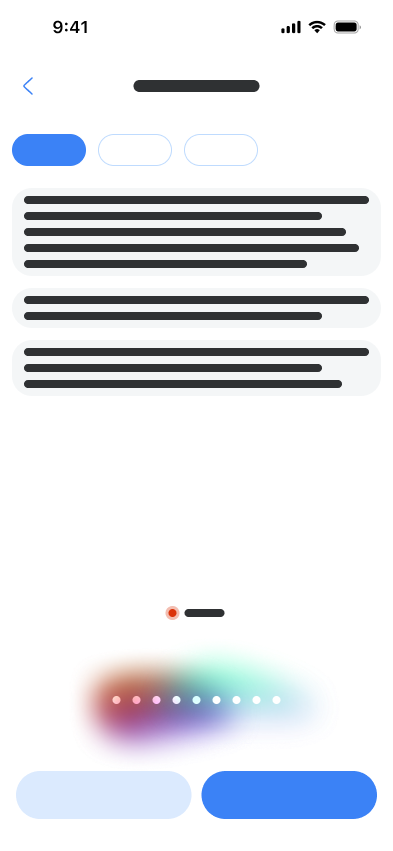
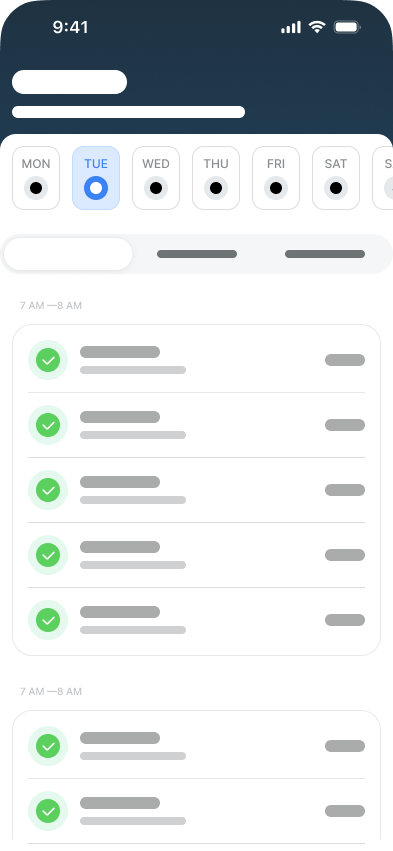
Created mobile-responsive versions of design tokens and components
Established tap-safe UI patterns and mobile-friendly type scales
Maintained consistency with the desktop system while optimizing for mobile context
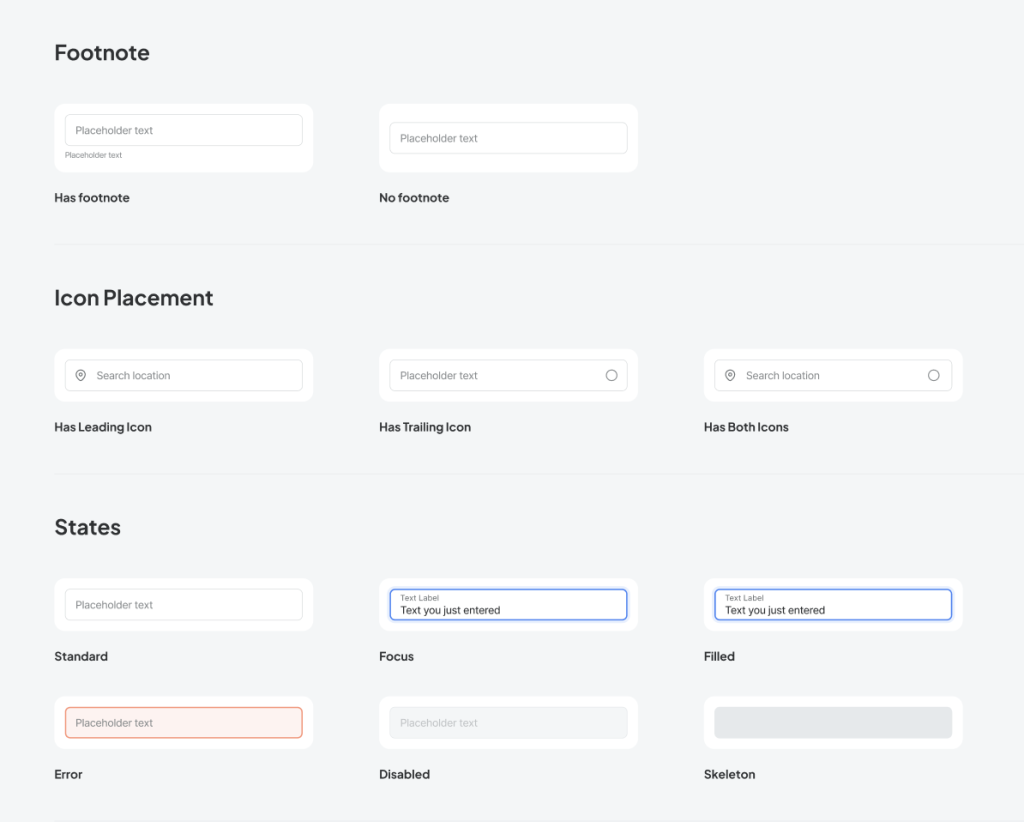
Clinicians lacked a reliable way to quickly document or review SOAP notes from their phones without excessive scrolling or formatting challenges.
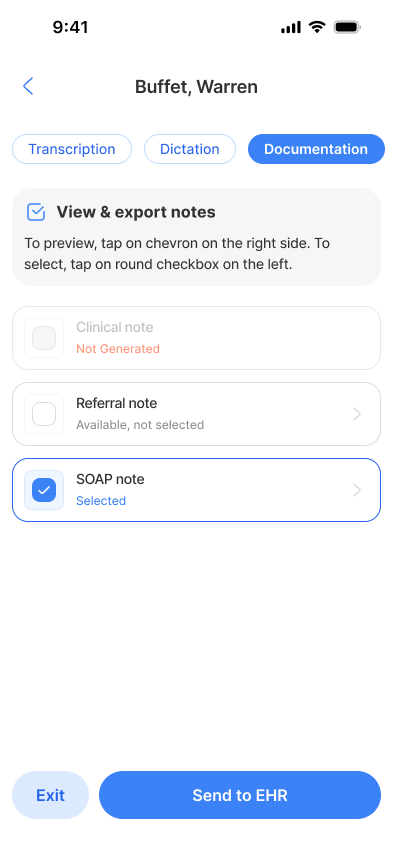
Title:
View & export notes
Instructions:
To preview, tap on the chevron on the right side. To select, tap on the round checkbox on the left.
Notes List:
Clinical note — Not Generated (disabled)
Referral note — Available, not selected
SOAP note — Selected
Buttons:
Exit (left)
Send to EHR (right, primary)
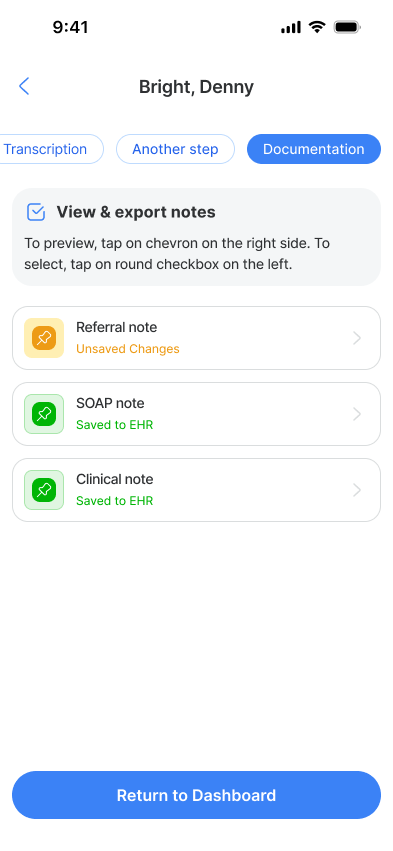
Title:
View & export notes
Instructions:
To preview, tap on the chevron on the right side. To select, tap on the round checkbox on the left.
Notes List with Status:
Referral note — Unsaved Changes (highlighted with warning color)
SOAP note — Saved to EHR (confirmed with success color)
Clinical note — Saved to EHR (confirmed with success color)
Button:
Return to Dashboard (primary)
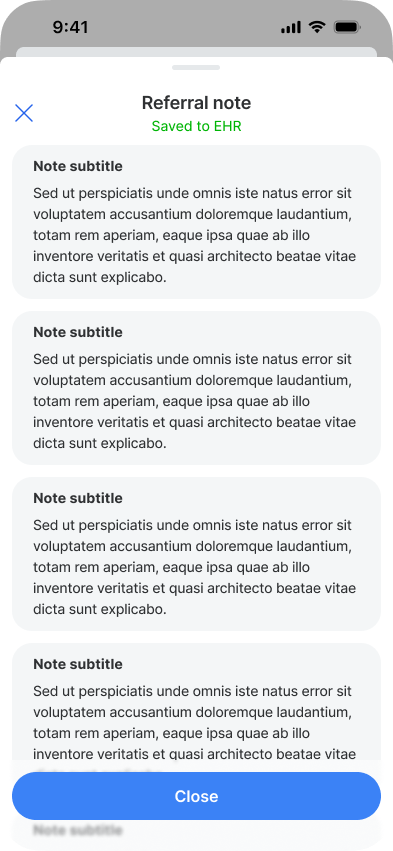
Title:
Referral note
Saved to EHR (in green)
Note Sections (repeated for each note block):
Note subtitle
Sed ut perspiciatis unde omnis iste natus error sit voluptatem accusantium doloremque laudantium, totam rem aperiam, eaque ipsa quae ab illo inventore veritatis et quasi architecto beatae vitae dicta sunt explicabo.
Button:
Close (primary)
Expand mobile feature set to include additional clinical documentation templates.
Optimize performance for lower-end Android devices.
Enhance offline capabilities and synchronization with web platform.