

Copyright © 2025 All rights reserved. Built with love in Texas.
Branding Product SaaS Web App
About a Project The Avodah Ambient Scribe Chrome Plugin is designed to seamlessly integrate with Electronic Health Record (EHR) systems, providing healthcare professionals with AI-powered transcription and clinical documentation tools. The plugin enhances efficiency by automating note-taking during patient encounters, reducing clinician workload and improving documentation accuracy. Outcomes Delivered a fully functional plugin prototype accepted […]
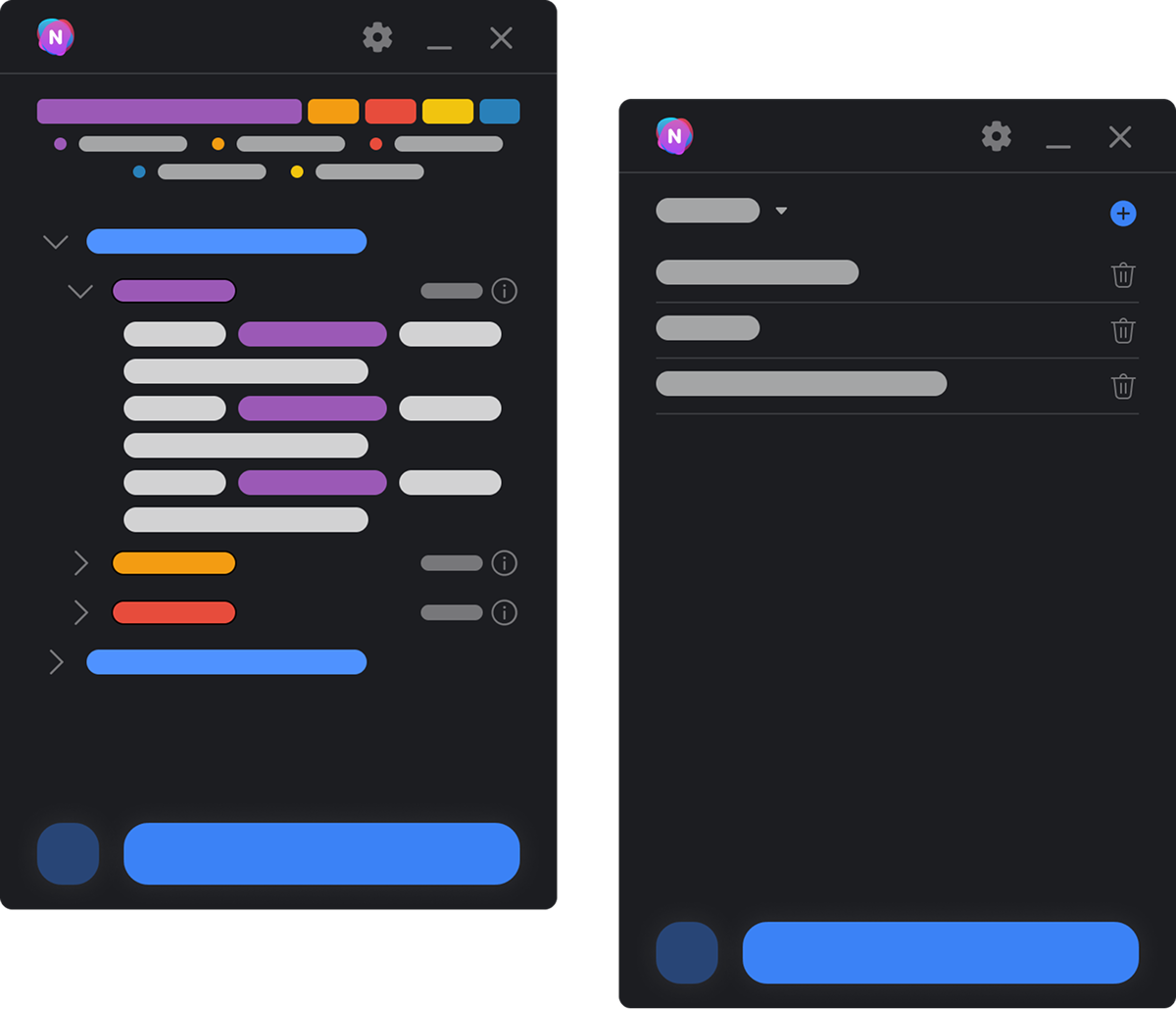
The Avodah Ambient Scribe Chrome Plugin is designed to seamlessly integrate with Electronic Health Record (EHR) systems, providing healthcare professionals with AI-powered transcription and clinical documentation tools. The plugin enhances efficiency by automating note-taking during patient encounters, reducing clinician workload and improving documentation accuracy.
Delivered a fully functional plugin prototype accepted by medical AI teams.
Positive feedback from initial clinical users highlighted improved documentation efficiency.
Positioned Avodah Ambient Scribe as a valuable tool in the healthcare AI ecosystem.
Enable seamless transcription and clinical note generation directly within EHR interfaces.
Provide an intuitive and non-disruptive user experience that fits naturally into clinicians’ workflows.
Ensure high accessibility and compliance with healthcare standards.
Facilitate easy management of recorded notes and sessions.
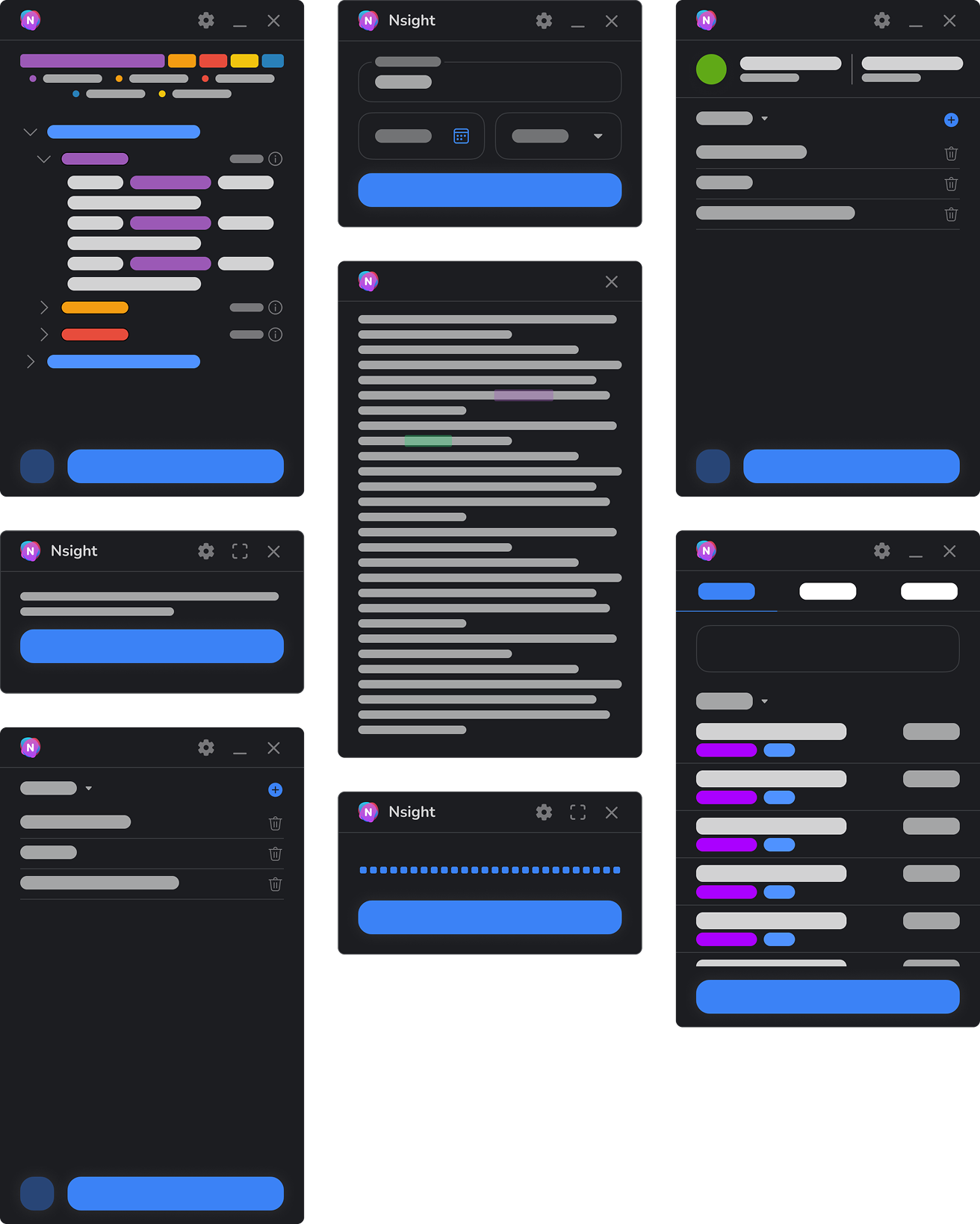
Integration directly within the Chrome browser to overlay and interact with existing EHR systems.
Real-time transcription and AI-assisted symptom detection.
Intuitive UI components for starting, stopping, and managing transcription sessions.
Organized session list with options to expand details, delete, or add new sessions.
Clear status indicators and help icons for user guidance.
Integrating smoothly with a variety of EHR systems with differing UI complexities.
Balancing feature richness with UI simplicity to avoid clinician distraction.
Ensuring real-time performance of transcription while maintaining minimal resource consumption.
Lorem ipsum dolor sit amet, consectetur adipiscing elit. Ut elit tellus, luctus nec ullamcorper mattis, pulvinar dapibus leo.
Conducted stakeholder interviews with medical AI engineers and clinicians to understand workflow pain points.
Analyzed existing EHR platforms and their interfaces to identify integration touchpoints.
Gathered user feedback from early prototype testing to refine feature prioritization.
Developed wireframes focusing on simplicity and ease of access within the EHR environment.
Created interactive prototypes to test flow of starting, pausing, and managing transcription sessions.
Incorporated feedback to improve visibility of key actions and minimize screen clutter.
Adopted a dark theme consistent with other Avodah products for comfortable long-term use.
Used color coding to differentiate active sessions, informational states, and alerts.
Employed clear icons for actions such as expanding session details and deleting entries.
Implement iterative improvements based on broader user testing.
Expand integration compatibility with additional EHR vendors.
Enhance AI capabilities for deeper clinical insight extraction.