

Copyright © 2025 All rights reserved. Built with love in Texas.
Branding Product SaaS Web App
About a Project Tool For School is a comprehensive mobile app designed to streamline and enhance school dismissal and communication processes, ensuring safety, efficiency, and parental engagement. Built with React Native to provide a seamless experience on both Android and iOS platforms, SchoolGo integrates critical features such as real-time notifications, delivery route management, attendance logging, […]

Tool For School is a comprehensive mobile app designed to streamline and enhance school dismissal and communication processes, ensuring safety, efficiency, and parental engagement. Built with React Native to provide a seamless experience on both Android and iOS platforms, SchoolGo integrates critical features such as real-time notifications, delivery route management, attendance logging, and profile management for parents, students, and school staff.
Improve dismissal efficiency by digitizing and automating student release requests and tracking
Enhance communication between parents, school, and bus drivers via push notifications and chat
Ensure safety and security by verifying pickup requests with QR codes and detailed profiles
Provide intuitive user experience with a clean, accessible interface for diverse users
Cross-platform consistency through React Native implementation for Android and iOS
Significant reduction in dismissal delays and confusion reported by schools
Improved parent satisfaction due to transparent and real-time pick-up updates
Enhanced safety with secure pick-up verification via QR codes and profile checks
Cross-platform accessibility expanding user reach without duplicating development efforts
Traditional school dismissal processes involve manual communication through phone calls, walkie-talkies, or paper notes, leading to inefficiencies, delays, and safety concerns.
Interviews: Conducted with parents, school administrators, bus drivers, and teachers to identify pain points in dismissal workflows.
Competitive Analysis: Reviewed existing school communication apps and identified gaps in seamless pickup management, notification reliability, and user-friendly interfaces.
Surveys: Gathered data on user preferences for communication channels, dismissal methods, and app features.
Parents want real-time updates and easy management of multiple children’s pickup requests.
School staff need a reliable system to track dismissal authorizations and avoid confusion.
Bus drivers require clear, unambiguous instructions and verification methods.
Safety and security are paramount, especially for verifying authorized pickups.
| Persona | Description | Goals | Pain Points |
|---|---|---|---|
| Lisa, Parent | Busy working mother with two kids in different schools | Manage pickups efficiently, receive timely alerts | Confusing manual dismissal, difficulty tracking kids |
| Mr. Johnson, Bus Driver | Experienced driver responsible for multiple routes | Ensure safe, timely pickups and clear communication | Unclear pickup instructions, delays in route changes |
| Mrs. Lopez, School Admin | Administrative staff managing daily dismissal logistics | Monitor dismissals, communicate with parents and drivers | Manual record keeping, communication gaps |
Developed a custom mobile design system focusing on accessibility, consistency, and scalability
Employed user-centered design principles with iterative prototyping and usability testing
Incorporated feedback from parents, school staff, and bus drivers to refine workflows
Prioritized clarity and simplicity to accommodate users of varying tech literacy
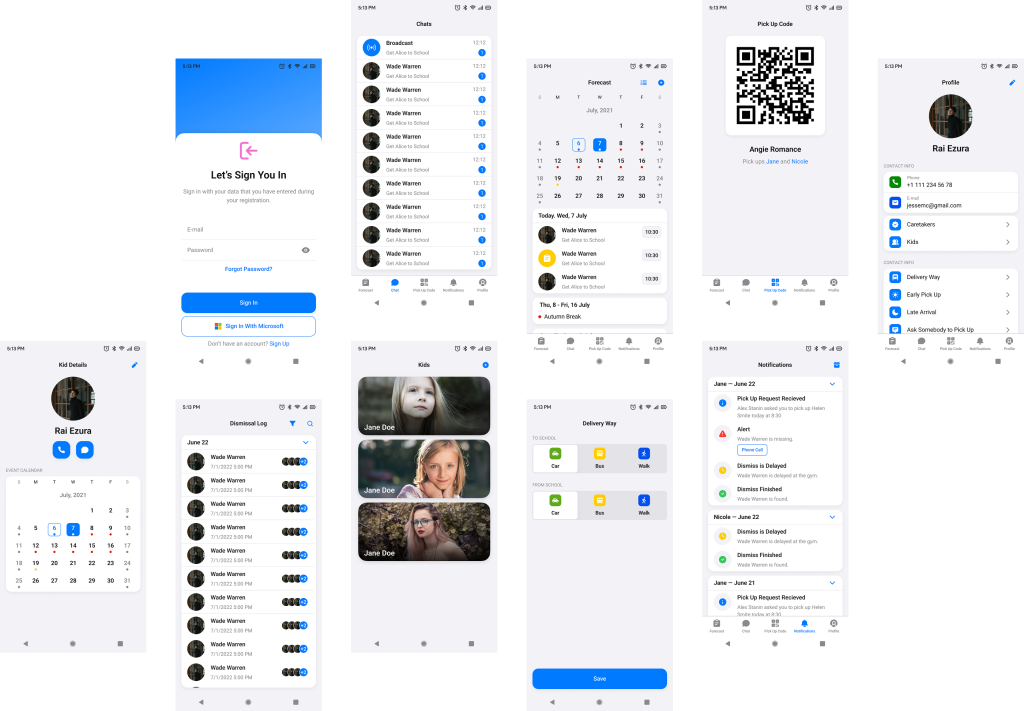
Login & Onboarding: Clean sign-in screen with options for email/password and Microsoft account.
Home Dashboard: Calendar view with highlighted dismissal days and alerts.
Notifications: Grouped by date with clear status icons for pickup requests and alerts.
Pickup Options: Interactive toggles for delivery method selections (Car, Walk, Bus, etc.) with ‘Save’ functionality.
Dismissal Log: Chronological list showing detailed pickup statuses with recognizable icons.
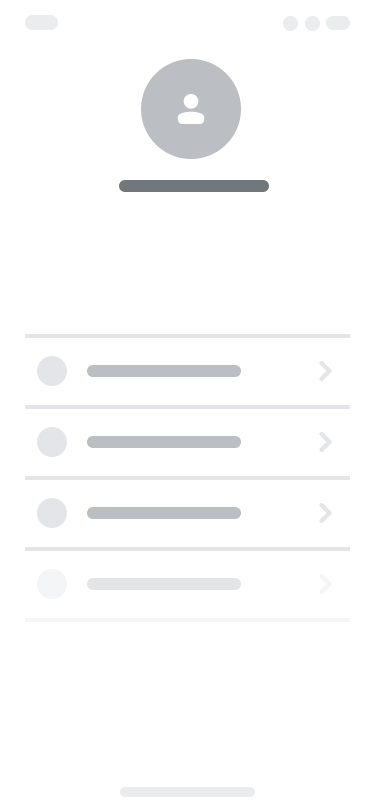
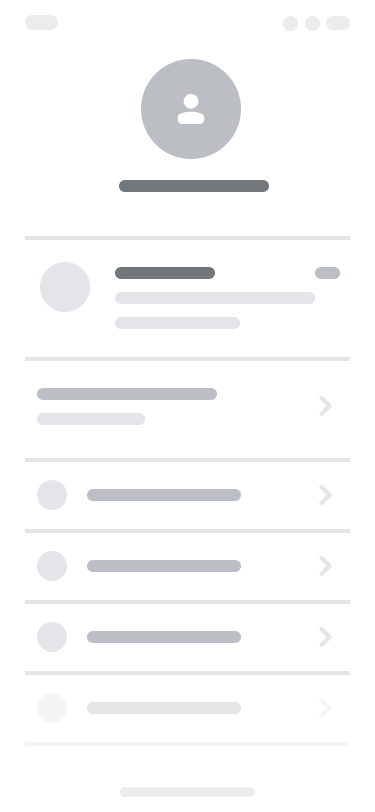
Profile Management: Parent and kid profiles with photos and contact info for quick reference.
QR Code Screen: Secure pickup verification through scannable QR codes.
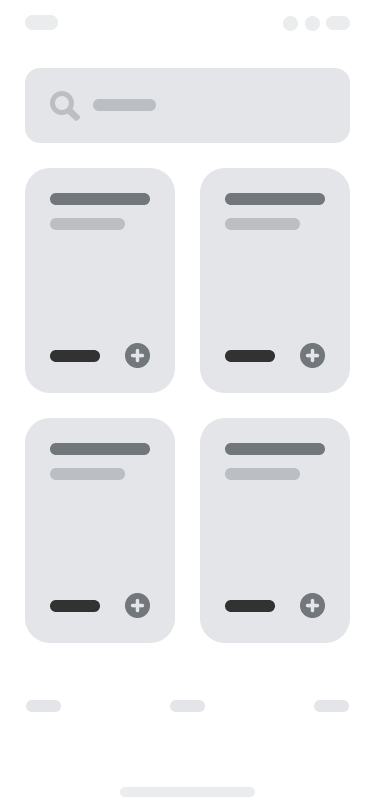
These wireframes were iterated through low-fidelity sketches and high-fidelity prototypes, validated by user testing sessions.

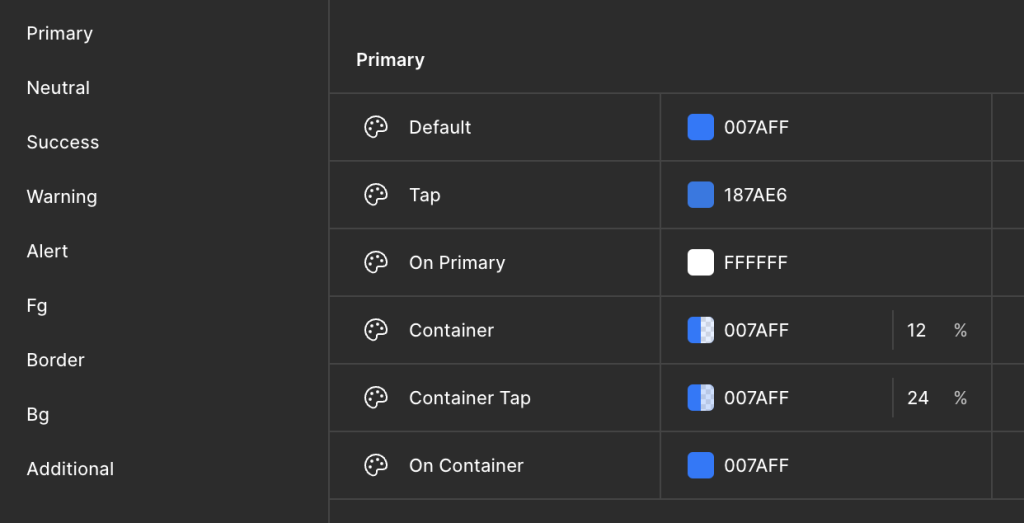
Colors: Primary blue for call-to-action buttons and navigation; soft grays for backgrounds and dividers to reduce visual noise.
Typography: Clean, sans-serif fonts optimized for legibility on small mobile screens.
Iconography: Intuitive icons representing people, calendar dates, notifications, and delivery methods.
Components: Modular UI components like buttons, toggles, cards, and lists built to maintain consistency across Android and iOS.
Animations: Subtle transitions and feedback animations to reinforce user actions without distraction.
Accessibility: High contrast modes, scalable fonts, and screen reader support integrated to accommodate diverse users.
A comprehensive React Native design system was created from scratch to support rapid development and ensure visual and functional consistency.
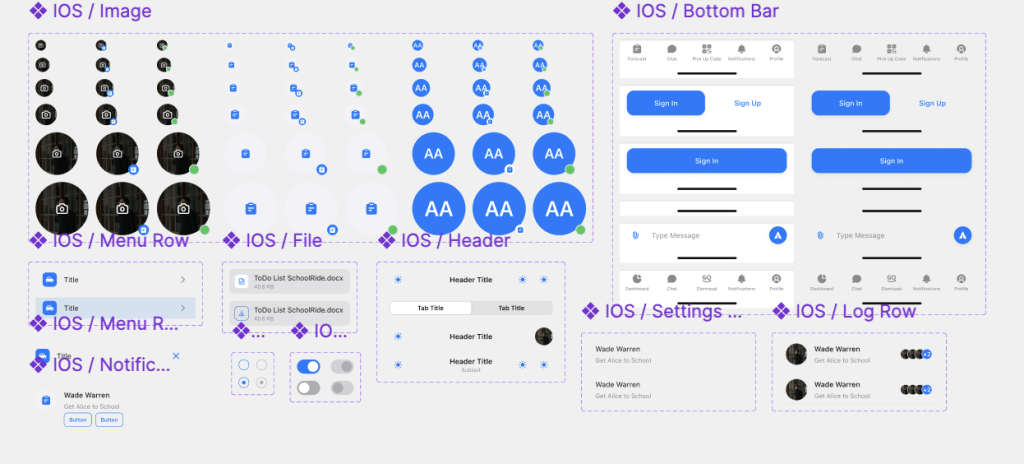
About Styles adipiscing elit. Ut elit tellus, luctus nec ullamcorper mattis, pulvinar dapibus leo.
React Native: Unified codebase for Android and iOS, ensuring consistent UX and faster release cycles
State Management: Efficient handling of real-time data such as notifications and logs
Push Notifications: Integration with native APIs for timely updates and user engagement
Secure Authentication: OAuth2 and standard email/password flows for robust user security
QR Code Scanning & Generation: Native modules integrated for pick-up verification
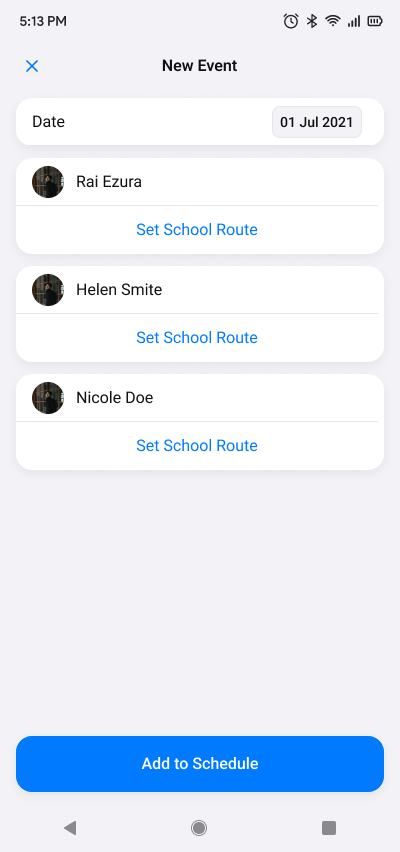
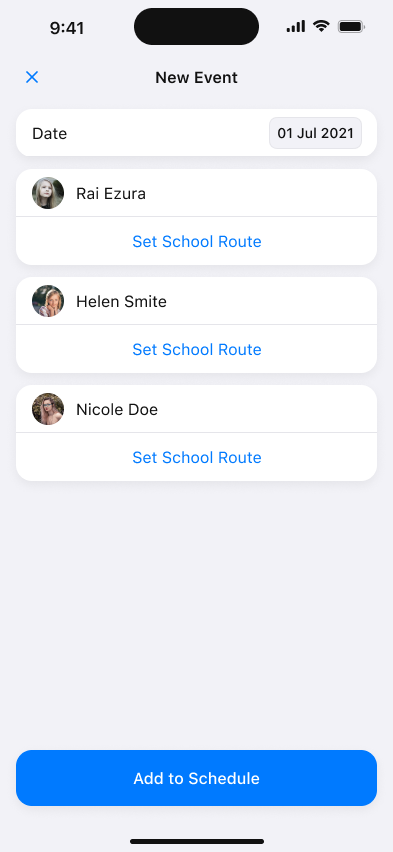
This screen allows users to create a new school route event for one or more children.
Date Picker: Displays the selected date of the event (e.g., 01 Jul 2021). Users can tap to change the date.
Kids List: Shows all children linked to the user’s account, each with a profile photo and name. Users can tap Set School Route to configure the route details for each child individually.
Add to Schedule Button: Once all desired routes are set for selected children, the user taps this button to save and schedule the new event.
Purpose: Enables parents or caretakers to organize and schedule school transportation plans for their children on specific days in a clear, streamlined manner.
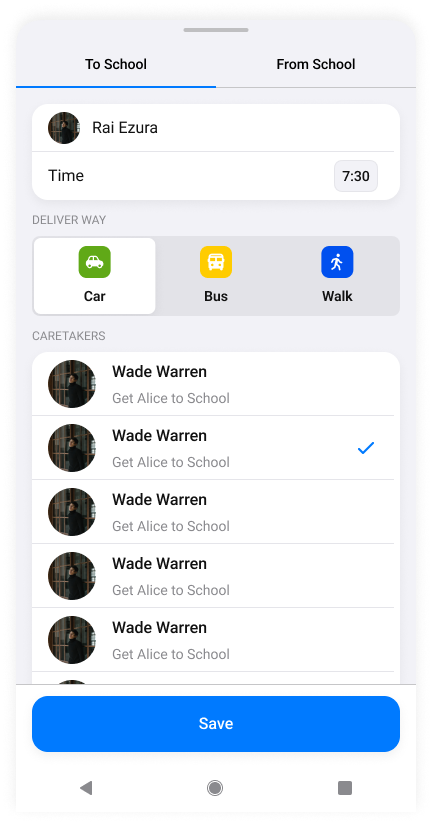
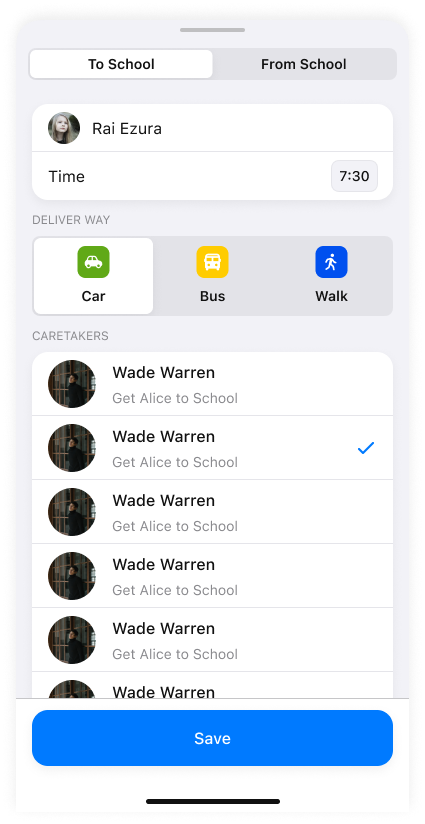
This screen lets the user specify transportation details for a single child’s school route for the selected day.
Tabs (To School / From School): User switches between configuring the morning (to school) and afternoon (from school) routes.
Child Info & Time: Displays child’s profile photo, name, and the time for this route segment (editable).
Delivery Way Selection: User selects the transportation method by tapping one of three options: Car, Bus, or Walk. The selected option highlights to indicate choice.
Caretakers List: Lists available caretakers authorized to pick up or drop off the child. The user selects one caretaker per route segment by tapping a checkbox.
Save Button: Saves the configured route details and returns the user to the New Event screen or list.
Purpose: Provides granular control over each child’s daily transportation mode and responsible caretaker, ensuring clarity and security in dismissal plans.
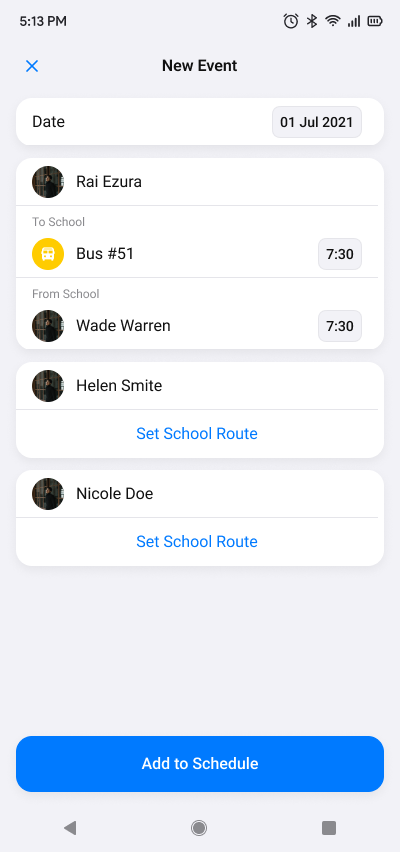
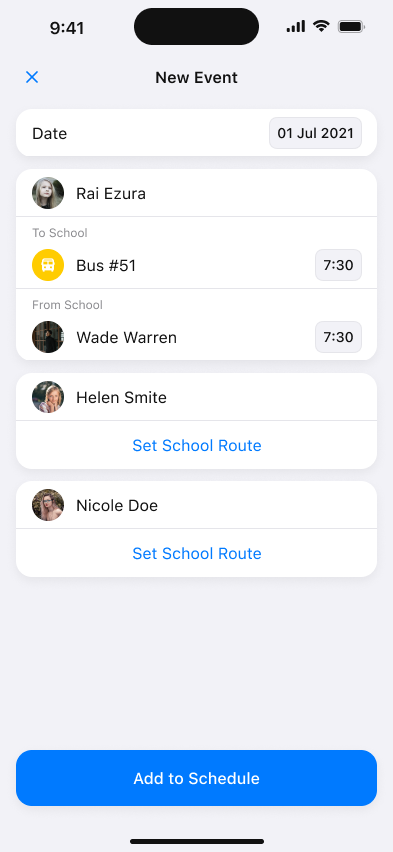
This screen summarizes all configured routes for the selected children on the chosen date before finalizing the event.
Date: Displays the event date at the top for quick reference.
Kids List: Each child’s entry shows their profile picture and name. If a route has been set, it displays a concise summary underneath, including:
Transportation Method: With an icon and label (e.g., Bus #51).
Scheduled Time: Time of pick-up or drop-off (e.g., 7:30).
Caretaker Assigned: Name and profile photo of the selected caretaker for the “From School” segment.
Set School Route Link: For children whose routes are not yet configured, users can tap to set or edit their route details.
Add to Schedule Button: Commits all configured routes for the day into the schedule and finalizes the event creation.
Purpose: Offers users a clear, at-a-glance confirmation of all children’s transportation plans before scheduling, reducing errors and ensuring peace of mind.